


15 Free Project Planning Templates for Excel (Download & Customize)
Managing a project becomes much easier when you have a clear plan. Whether you are organizing a school assignment, launching a new product, planning a marketing campaign, or managing a construction project, keeping everything in one place helps your team stay on track.
That is why many professionals still use Excel. It is easy, simple, flexible, and available on most computers. You don’t need premium software to create schedules, monitor project progress, or track tasks.
In this guide, we present 15 free project planning templates for Excel that can help you organize your work faster. You’ll also learn the speciality of each template, its key features, and when to use it. Whether you’re managing a small personal project or a large business task, you will find an Excel template that fits your needs.
Why Use Excel for Project Planning?
Excel is always among the popular tools for project planning because it is easy to use and highly customizable. Many professionals rely on project planning templates in Excel to organize tasks, assign team members, set deadlines, and project goals more effeciently.
Here are the main benefits of using Excel:
- Easy to customize for any type of project
- Works offline and online
- Best for individuals and small teams
- Available in most workplaces
- Easy to share with everyone
- Supports formulas, automation, and charts
If your project does not require advanced collaboration or automation, Excel can be a practical and cost-effective solution.
What Makes a Good Project Planning Template?
A good project planning template helps you stay organized from start to finish. It should make your work easier, not more complicated.
Look for templates that include:
- Start and due dates
- Task names
- Task owner
- Progress tracking
- Priority level
- Milestones
- Status updates
- Notes or comments
The right template saves time, reduces mistakes, and helps everyone with what needs to be done.
1. Project Planning Template
Best for: General project management
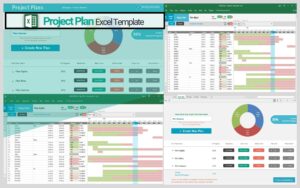
A project planning template is the best place to start if you need one file to organize your whole project. It gives you a clear overview of every task, team member, deadline, and project goal.
You can update the template as your project moves forward, making it easier to track progress and spot delays before they become bigger problems.
Key Features
- Complete task list
- Start and finish dates
- Assigned team member
- Progress update
- Priority tracking
Download Project Planning Template
2. Gantt Chart Template
Best for: Tracking project timelines
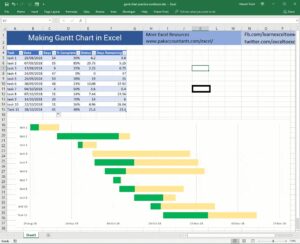
A Gantt chart helps you see when each task starts and ends. Rather than reading a long task list, you can view your entire project on a timeline.
This template makes it easier to monitor progress, manage deadlines, and understand how different tasks fit together.
Key Features
- Visual timeline
- Milestones
- Task duration
- Easy schedule tracking
- Progress bar
3. Project Timeline Template
Best for: Planning important project dates
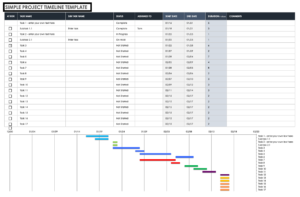
A project timeline template focuses on major tasks instead of every small activity. It shows the order of work and highlights important deadlines.
This template is useful for presentations, project planning sessions, and client meetings because it provides a simple overview of the project schedule.
Key Features
- Timeline view
- Goals to achieve
- Project phases
- Important deadline
- Easy progress tracking
Download Project Timeline Template
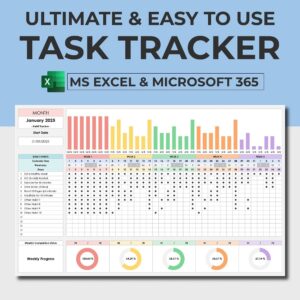
4. Task Tracker Template
Best for: Daily task management
If you need to monitor individual tasks, a task tracker template is the best choice. It keeps track of what has been completed, what is in progress, and what still needs attention.
This template is good for teams that work on multiple tasks every day.
Key Features
- Task list
- Due dates
- Assigned owner
- Completion status
- Priority level
Download Task Tracker Template
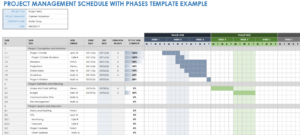
5. Project Schedule Template
Best for: Managing project deadlines
A project schedule template helps you organize every task by date. It creates a clear and structured schedule so your team knows what should happen each day or week.
Using a schedule minimizes confusion and helps projects finish on time.
Key Features
- Task deadlines
- Daily or weekly schedule
- Team assignments
- Project phases
- Progress updates
 Download Project Schedule Template
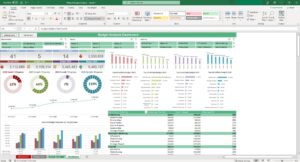
6. Project Budget Template
Best for: Tracking project costs
A project budget template can manage your spending from the start of the project to the end. You can record your planned budget, actual expenses, and the remaining balance in one worksheet.
Keeping your budget updated helps you avoid unnecessary spending and make better financial decisions throughout the project.
Key Features
- Estimated budget
- Cost categories
- Actual expenses
- Remaining budget
- Budget summary
Download Project Budget Template
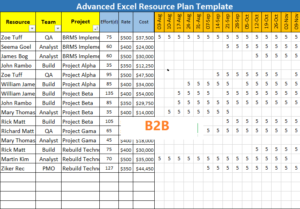
7. Resource Planning Template
Best for: Managing people and resources
Every project needs the right people, materials, and tools. A resource planning template helps you assign work and make sure no one is overloaded.
It also helps you see where extra support or tools may be needed before work starts.
Key Features
- Resource availability
- Team assignments
- Resource schedule
- Workload tracking
- Project roles
Download Resource Planning Template
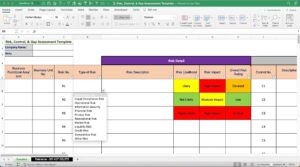
8. Risk Management Template
Best for: Identifying project risks
Every project comes with risks. A risk management template helps you list all possible problems before they happen. You can also plan how to reduce their impact if they occur.
Reviewing your risks every day makes your project more prepared for unexpected challenges.
Key Features
- Risk level
- Risk list
- Prevision plan
- Possible impact
- Risk owner
Download Risk Management Template
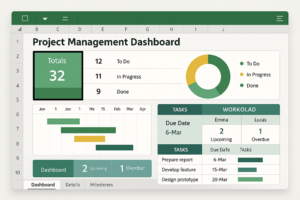
9. Project Dashboard Template
Best for: Monitoring project performance
A project dashboard brings important project information together on one screen. You can check your project’s overall progress at once, instead of checking multiple worksheets.
Dashboards often use charts and graphs to make data easier to understand.
Key Features
- Progress charts
- Budget overview
- Task completion
- Project summary
- Performance indicators
Download Project Dashboard Template
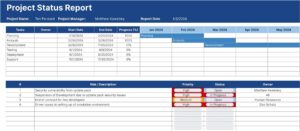
10. Project Status Report Template
Best for: Weekly or monthly project updates
A project status report template helps you share updates with your manager, team, or clients. It shows ongoing tasks, completed tasks, upcoming activities, and any issue that needs attention.
Regular status reports improve communication and keep everyone updated.
Key Features
- Completed tasks
- Project summary
- Upcoming projects
- Current progress
- Project problems
Download Project Status Report Template
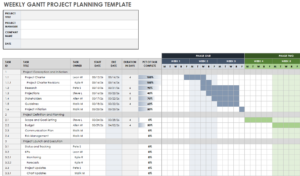
11. Weekly Project Planner Template
Best for: Managing weekly tasks and goals
A weekly project planner helps you organize tasks that need to be completed during the week. It gives your team a structured plan and makes it easier to stay focused on short-term goals.
This template is best for fast-moving projects where priorities change regularly.
Key Features
- Weekly task list
- Team assignments
- Daily schedule
- Progress update
- Priority tracking
Download Weekly Project Planner Template
12. Monthly Project Planner Template
Best for: Long-term planning
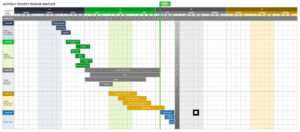
A monthly project planner gives you a clear picture of your project. It helps you plan deadlines, milestones, and major activities throughout the month.
The template is ideal for projects that last several weeks or months.
Key Features
- Major milestones
- Monthly calender
- Project goals
- Important deadlines
- Progress tracking
Download Monthly Project Planner Template
13. Construction Project Planning Template
Best for: Construction and renovation projects
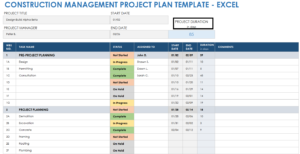
Construction projects involve many moving parts, including materials, equipment, workers, and deadlines. A construction project planning template helps you organize every stage of the project in one spreadsheet.
It also makes it easier to monitor progress and reduce costly delays.
Key Features
- Project schedule
- Team assignments
- Material tracking
- Milestone tracking
- Budget monitoring
Download Construction Project Planning Template
14. Marketing Project Planning Template
Best for: Marketing campaigns
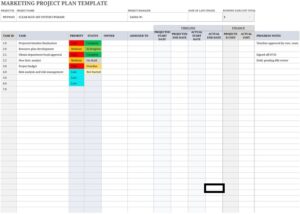
Planning a marketing campaign requires careful organization. A marketing project planning template helps you assign responsibilities, schedule content, and monitor campaign performance.
Whether you are launching a new product or running a seasonal promotion, this template keeps your marketing activities best organized.
Key Features
- Team responsibilities
- Campaign timeline’
- Content schedule
- Campaign goals
- Budget tracking
Download Marketing Project Planning Template
15. Event Planning Template
Best for: Meetings, conferences, and special events
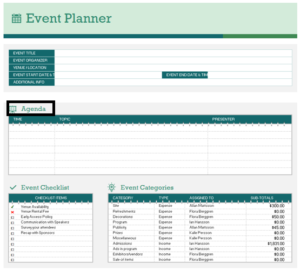
An event planning template manages every detail for you before the main event. You can track vendor schedules, budgets, guest lists, and important deadlines from one place.
This template reduces your headache of organizing everything throughout the planning process.
Key Features
- Event checklist
- Vendor contact
- Budget planner
- Task assignments
- Timeline
Download Event Planning Template
Excel vs. Project Management Software
Both Excel and project management software can provide you the space to organize projects. The right choice depends on your budget, workflow, and team’s size.
| Feature | Excel | Project Management Software |
| Cost | Often free or already included | Usually requires a monthly subscription |
| Easy to use | Yes | Learning curve for beginners |
| Customization | High | High |
| Collaboration | Basic | Advanced |
| Automation | Limited | Extensive |
| Progress Tracking | Manual updates | Automatic updates |
| Best For | Individuals and small teams | Large teams and complex projects |
Excel is best if you’re managing a small or medium-sized project. For larger teams that need real-time collaboration and automation, dedicated project management software may be the strong option.
How to Choose the Right Project Planning Template
Not every project needs the same template. Choosing the right project planning templates depends on your goals, project size, and team.
Here are a few simple tips that help you decide.
Choose a Project Planning Template
Use this if you want a document to manage your whole project from beginning to end.
Choose a Gantt Chart
This is an ideal option if your project has many deadlines and tasks that happen ina specific order.
Choose a Task Tracker
A task tracker works excellent for daily activities and helps team members stay organized.
Choose a Budget Template
If keeping costs under control is necessary, a budget template will help you monitor every expense.
Choose a Dashboard
A dashboard gives managers a quick overview of project performance without opening multiple spreadsheets.
Choose a Risk Management Template
If your project involves budgets, deadlines, or many stakeholders, tracking risks can help you avoid costly problems.
Get Started with the Right Excel Project Planning Template
Every successful project starts with a clear plan. The right Excel template can help you organize tasks, track progress, manage deadlines, and keep your team on the same page.
Whether you’re planning a personal project, managing a marketing campaign, running a small business, or overseeing a large construction project, there is a template designed to make your work easier. Start with the one that is according to your needs, customize it for your workflow, and update it regularly as your project moves forward.
A well-planned project not only saves time, but also improves teamwork, reduces mistakes, and increases your chances of delivering successful results.
Download your preferred Excel project planning templates and take the first step toward managing your projects with confidence.
Frequently Asked Questions
Q.1: Are Excel project planning templates really free?
Yes, many websites offer free excel project planning templates that you can download and customize. Some premium templates include extra features, but free versions are often enough for personal and small business projects.
Q.2: Which Excel template is best for project planning?
A general project planning template is a good choice for most users because it includes tasks, team members, deadlines, and progress tracking in one place. If you need a visual schedule, a Gantt chart is another best option.
Q.3: Can I create a Gantt chart in Excel?
Yes, Excel supports Gantt charts using stacked bar charts or ready-made templates.
Q.4: Is Excel better than project management software?
It totally depends on your project. Excel works excellent for individuals and small teams because it is simple and flexible. Larger teams need real-time collaboration, advance reporting, and automation may benefits more from project management software.
Q.5: How often should I update my project planning template?
Update your template whenever there is progress on the project.
Q.6: Can I customize these Excel templates?
Yes, you can add new columns, include formulas, change colors, create charts, or remove sections that are not relevant to your project.