
Customer Inquiry Handling: Process, Best Practices & Examples
Every business receives questions from potential and existing customers. Some people want to know about a product. Others need help with a service, pricing, delivery, or an issue they are facing.
How a business responds to these questions can affect whether a person becomes a customer, makes a purchase, or chooses another company.
This is where customer inquiry handling becomes important.
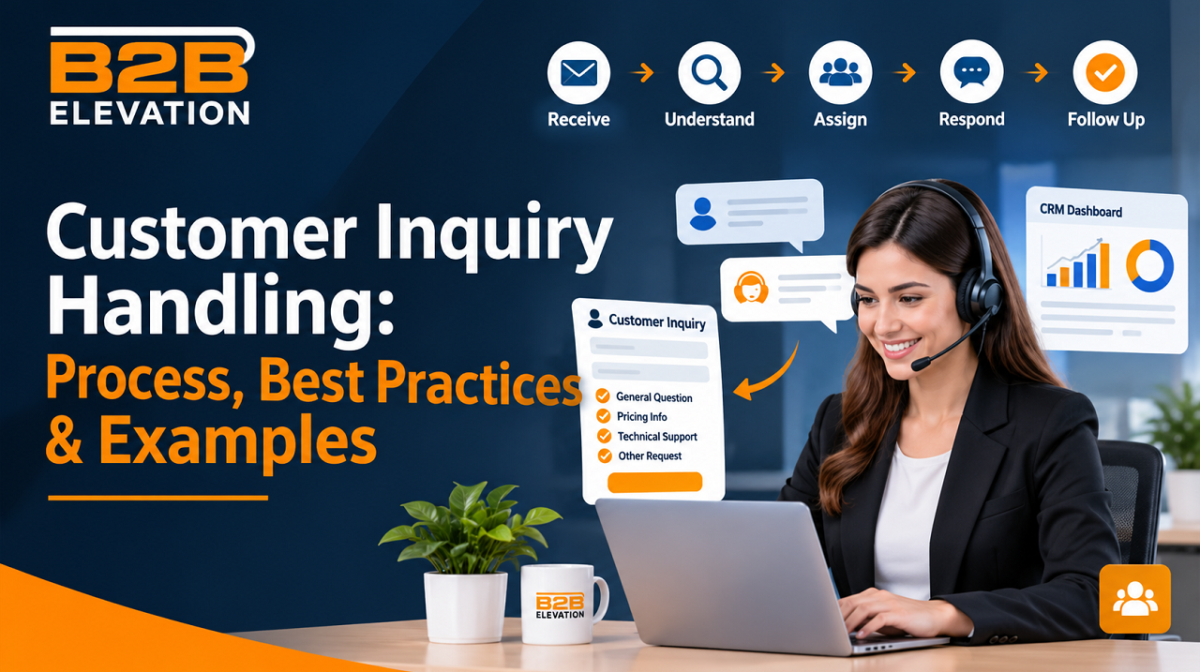
Customer inquiry handling is the process of receiving, understanding, responding to, and following up on customer questions and requests. A good process helps businesses provide clear answers, solve problems faster, and build trust with potential buyers.
Whether you run a small business, a SaaS company, or a large organization, handling customer inquiries well can improve communication and support your sales process.
In this guide, you will learn what customer inquiry handling means, why it matters, how to manage inquiries step by step, and which practices can help your business deliver better customer experiences.
What Is Customer Inquiry Handling?
Customer inquiry handling is the process of managing questions, requests, and concerns from people who contact a business.
These inquiries can come from different communication channels, such as:
- Website contact forms
- Live chat
- Phone calls
- Social media
- Messaging apps
- Customer support portals
The main goal is to understand what the customer needs and provide a helpful response.
For example, imagine someone visits a software company’s website and asks, “Does your platform offer a free trial?”
The business receives the question, checks the available plan details, responds with the correct information, and offers the next step. This is a simple example of customer inquiry handling.
The process does not end with sending an answer. It may also involve assigning the inquiry to the right team, tracking its progress, solving the customer’s problem, and following up when needed.
In simple terms: Customer inquiry handling means making sure every customer question reaches the right person and receives a clear, useful answer.
Why Is Customer Inquiry Handling Important?

Customers expect businesses to listen and respond when they ask questions. A poor response can create confusion, reduce trust, and cause people to look for another provider.
A well-managed inquiry process helps businesses in several ways.
1. Builds Customer Trust
People are more likely to trust a business when it provides honest and helpful answers.
For example, if someone asks about a software subscription, explain the available plans, features, and limits clearly. Do not hide important details or make promises your product cannot meet.
Clear communication helps customers make better decisions.
2. Improves the Customer Experience
Customers do not want to repeat the same question to different employees or wait without knowing what is happening.
A clear inquiry-handling process helps businesses provide consistent answers and keep customers informed.
Even when a problem cannot be solved immediately, telling the customer what happens next can make the experience better.
3. Helps Convert More Leads
Not every inquiry comes from an existing customer. Many questions come from people who are considering buying a product or service.
For example, a potential customer may ask:
- How much does your service cost?
- What features are included?
- Can I book a product demo?
- Does your solution work with other tools?
A helpful and timely response can move these people closer to making a purchase.
This makes customer inquiry handling an important part of lead management and the sales process.
4. Reduces Repeated Questions
When businesses organize inquiries and save useful answers, employees can respond to common questions more easily.
A knowledge base, FAQ page, or saved response library can help customers find information without contacting support every time.
It also gives employees more time to handle complex requests.
5. Helps Identify Customer Needs
Customer questions can reveal what people want, what confuses them, and where a product or service may need improvement.
For example, if many people ask whether a software tool supports a particular feature, the business may need to explain that feature more clearly on its website.
These questions can help improve marketing messages, product information, and customer support.
Types of Customer Inquiries
Businesses receive different types of inquiries depending on their products, services, and customers.
Understanding these types helps employees send each request to the right team.
1. Product or Service Inquiries
These questions come from people who want to learn more about what a business offers.
Examples:
- What does your software do?
- Which features are included?
- What services do you provide?
- Is this product suitable for small businesses?
The best response is clear, accurate, and focused on the customer’s needs.
2. Pricing and Sales Inquiries
Customers may contact a business to ask about prices, plans, discounts, or payment options.
Examples:
- How much does your service cost?
- Do you offer monthly plans?
- Are there any additional charges?
- Can I request a custom quote?
These inquiries often come from potential buyers. The sales team should respond with accurate pricing information and explain the next steps.
3. Technical Support Inquiries
These requests involve problems with a product, service, or platform.
Examples:
- I cannot log in to my account.
- The software is not working correctly.
- How do I connect this tool to another platform?
- Why am I receiving an error message?
Technical questions should be assigned to someone who understands the product and can guide the customer through a solution.
4. Order and Delivery Inquiries
These inquiries are common in ecommerce and product-based businesses.
Examples:
- Has my order been shipped?
- When will my product arrive?
- Can I change my delivery address?
- How can I return an item?
The response should include accurate order information and clear instructions.
5. Complaint and Feedback Inquiries
Customers may contact a business when they are unhappy with a product, service, or experience.
Examples:
- I received the wrong product.
- Your service did not meet my expectations.
- I was charged twice.
- I am not happy with the support I received.
These inquiries need patience and attention. The employee should understand the issue, acknowledge the customer’s concern, and explain how the business will address it.
Customer Inquiry Handling Process: Step by Step

A clear process makes it easier for businesses to manage customer questions without missing important requests.
Here are seven practical steps you can follow.
Step 1: Receive the Customer Inquiry
The first step is to receive the customer’s question through the available communication channels.
A business should make it easy for people to contact the right team. For example, a website can include a contact form, support email, or live chat option.
When an inquiry arrives, record important details such as:
- Customer name
- Contact information
- Date and time received
- Question or problem
- Product or service involved
- Preferred contact method
Keeping these details in one place makes the inquiry easier to manage.
Step 2: Understand the Customer’s Needs
Before writing a response, read the inquiry carefully.
Try to understand what the customer is asking and what outcome they expect.
For example, a person may write:
“I purchased your software, but I cannot access my account.”
This is not simply a general question. It is an account access issue that may require technical support.
If the message is unclear, ask a short follow-up question instead of guessing.
Understanding the real problem helps prevent incorrect answers and unnecessary communication.
Step 3: Categorize and Prioritize the Inquiry
Not every inquiry needs the same level of attention.
Some questions are simple, while others involve urgent problems or important sales opportunities.
Businesses can organize inquiries into categories such as:
- General questions
- Sales requests
- Technical support
- Billing issues
- Complaints
- Product feedback
They can also set priority levels.
For example:
High priority: A customer cannot access an important service or is facing a serious business issue.
Medium priority: A customer needs help with a product feature or billing question.
Low priority: A person asks a general question about a feature or service.
Priority should depend on the issue’s impact, urgency, and business needs. A clear system helps employees focus on the requests that need attention first.
Step 4: Assign the Inquiry to the Right Team
Once an inquiry is categorized, send it to the person or department that can handle it.
For example:
| Inquiry type | Responsible team |
| Product questions | Sales or product team |
| Pricing requests | Sales team |
| Technical problems | Technical support |
| Payment issues | Billing team |
| Customer complaints | Customer service team |
This step is important because sending a question to the wrong department can delay the response.
For larger businesses, customer relationship management (CRM) or help desk software can automatically assign inquiries based on their type.
Step 5: Respond With Clear and Helpful Information
Now it is time to answer the customer’s question.
A good response should:
- Address the customer’s actual question.
- Use simple and polite language.
- Provide accurate information.
- Explain the next steps.
- Avoid unnecessary technical terms.
- Give the customer a way to ask more questions.
For example, instead of saying, “Your request has been processed,” explain what has been completed and what the customer should expect next.
If you do not know the answer, do not guess. Tell the customer that you will check with the relevant team and provide an update.
Step 6: Track the Inquiry Until It Is Resolved
Sending a reply does not always mean the inquiry is complete.
Some requests need more information, approval, or technical work before they can be resolved.
Keep track of the inquiry’s status, such as:
- New
- Assigned
- In progress
- Waiting for customer
- Resolved
- Closed
This helps employees understand what still needs attention.
It also reduces the risk of forgotten messages and unanswered requests.
Step 7: Follow Up With the Customer
After providing a solution, check whether the customer received the help they needed.
For example:
“Hi Sarah, I wanted to check whether you were able to access your account after following the steps we shared. Please let us know if you need any more help.”
A simple follow-up shows that the business cares about the customer’s experience.
It also gives the customer an opportunity to explain whether the issue has been fully resolved.
Best Practices for Handling Customer Inquiries
Following a process is important, but the quality of each response matters too.
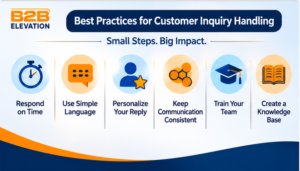
Here are practical customer inquiry handling best practices that businesses can use.
1. Respond Within a Clear Time Frame
Customers appreciate timely replies.
Set response time goals for different channels and types of inquiries. For example, website live chat may need faster attention than a general email request.
The important thing is to set realistic expectations and communicate them clearly.
If a solution takes longer, send an update rather than leaving the customer without information.
2. Use Simple and Friendly Language
Avoid long sentences, confusing words, and unnecessary technical terms.
Write as if you are explaining something to a person who has no experience with your product.
For example:
Difficult response: “Your request has been escalated to the relevant technical department for further investigation.”
Clear response: “Our technical team is checking the issue. We will update you as soon as we have more information.”
Simple communication makes it easier for customers to understand what is happening.
3. Personalize Every Response
Customers should not feel like they are receiving the same automatic message every time.
Use their name when appropriate and refer to the question they actually asked.
You can use saved templates to save time, but adjust them to fit each customer’s situation.
A personal and relevant response feels more helpful than a generic reply.
4. Keep Communication Consistent Across Channels
A customer may contact your business through email today and live chat tomorrow.
Your team should have access to the same relevant customer information so that the person does not need to explain everything again.
Using a shared CRM or support platform can help keep communication organized.
5. Train Your Team
Employees should understand your products, services, policies, and communication standards.
Training should cover:
- How to understand customer questions
- How to write clear responses
- How to handle complaints
- When to escalate an issue
- How to use customer support tools
- How to protect customer information
Well-trained employees can handle inquiries with more confidence and consistency.
6. Create a Knowledge Base
A knowledge base is a collection of helpful information that customers and employees can use to find answers.
It may include:
- Frequently asked questions
- Product guides
- Setup instructions
- Troubleshooting steps
- Billing information
- Account support articles
For example, a SaaS company can create a guide explaining how to reset a password or connect an account.
This helps customers solve simple problems themselves and gives support teams a reliable source of information.
7. Know When to Use Automation
Automation can help businesses manage repeated tasks and common questions.
For example, automated systems can:
- Confirm that an inquiry was received.
- Send basic information.
- Assign requests to the right team.
- Share links to relevant help articles.
- Notify employees about new inquiries.
However, automation should not replace human support in every situation.
Complex complaints, sensitive issues, and unusual technical problems may need a real person who can understand the situation and make a decision.
The best approach is to use automation for simple tasks while keeping human support available when customers need it.
Common Customer Inquiry Handling Mistakes
Even businesses with good support teams can make mistakes that affect customer experience.
Here are some common problems to avoid.
1. Ignoring Customer Messages
An unanswered inquiry can make customers feel that the business does not care.
Set up a process to monitor all communication channels and make sure new messages are assigned to someone.
2. Giving Incorrect Information
A quick but incorrect answer can create bigger problems later.
Employees should check product details, prices, policies, and technical information before responding.
If they are unsure, they should ask the right team instead of making assumptions.
3. Using Generic Replies for Every Question
Saved replies are useful, but they should not make communication feel robotic.
A response should always address the customer’s specific question.
4. Failing to Follow Up
Some inquiries require more than one interaction.
If an employee promises to provide an update, they should make sure it happens. Track pending requests so customers do not have to contact the business again.
5. Not Tracking Inquiry Performance
Without tracking, it is difficult to know how well the team is handling requests.
Monitor useful measures such as response time, resolution time, customer satisfaction, and unresolved inquiries.
These numbers can help identify problems and improve the process.
Customer Inquiry Response Examples and Templates
Using response templates can save time and help employees communicate consistently.
However, each template should be adjusted to match the customer’s question.
Here are some simple examples businesses can use.
1. General Customer Inquiry Response
Customer message: “I want to know more about your services.”
Response template:
Hi [Customer Name],
Thank you for contacting us!
We would be happy to tell you more about our services. We offer [brief description of services] to help businesses with [main benefit].
Please let us know what you are looking for, and we will share the information that best fits your needs.
Best regards,
[Your Name]
2. Pricing Inquiry Response
Customer message: “How much does your service cost?”
Response template:
Hi [Customer Name],
Thank you for your interest!
Our pricing depends on the service and requirements you need. You can review our available plans here: [Pricing Link].
If you share a few details about your needs, we can help you find the most suitable option.
Best regards,
[Your Name]
3. Technical Support Inquiry Response
Customer message: “I am having trouble using your software.”
Response template:
Hi [Customer Name],
Thank you for letting us know.
We are sorry you are facing this issue. Could you please share a screenshot or a short description of the problem?
Our support team will review the details and guide you through the next steps.
Best regards,
[Your Name]
4. Customer Complaint Response
Customer message: “I am not happy with the service I received.”
Response template:
Hi [Customer Name],
Thank you for sharing your feedback.
We are sorry that your experience did not meet your expectations. We understand your concern and would like to look into this matter.
Could you please share a few more details so we can understand what happened and work toward a suitable solution?
Best regards,
[Your Name]
5. Follow-Up Response
Customer message: The customer has not confirmed whether their issue is resolved.
Response template:
Hi [Customer Name],
We are following up on your recent inquiry to check whether everything is working as expected.
Please let us know if your issue has been resolved or if you need any further assistance.
We are happy to help!
Best regards,
[Your Name]
How to Measure Customer Inquiry Handling Performance
To improve inquiry handling, businesses need to understand how their teams are performing.
You do not need dozens of complicated reports. Start with a few useful measures.
First Response Time
First response time measures how long a customer waits before receiving the first reply.
For example, if a customer sends an email at 10:00 AM and receives a response at 10:30 AM, the first response time is 30 minutes.
A shorter response time can help customers feel acknowledged, but speed should not come at the cost of accuracy.
Average Resolution Time
This measures how long it takes to resolve a customer inquiry.
For example, a simple pricing question may take a few minutes to resolve, while a technical issue may need more investigation.
Tracking resolution time helps businesses identify delays and improve their support process.
First Contact Resolution Rate
First contact resolution measures the percentage of inquiries solved during the first interaction, without requiring additional contact.
A higher rate can indicate that employees are providing useful answers and resolving issues effectively.
However, complex requests may naturally require more than one interaction.
Customer Satisfaction Score (CSAT)
CSAT measures how satisfied customers are with the support they receive.
Businesses can ask a simple question after an interaction:
“How satisfied were you with the help you received?”
Customers can answer using a rating scale or a short survey.
The feedback helps businesses understand what is working and what needs improvement.
Inquiry Volume
Inquiry volume is the total number of customer inquiries received during a specific period.
Tracking this number helps businesses understand support demand.
For example, a sudden increase in product questions may suggest that customers need clearer product information or better onboarding instructions.
Tools That Help Manage Customer Inquiries
As a business grows, managing every inquiry manually becomes difficult.
Customer inquiry management tools help teams organize messages, assign tasks, track requests, and maintain communication records.
Here are some common types of tools.
1. Customer Relationship Management (CRM) Software
CRM software helps businesses organize customer details, track sales conversations, and manage potential leads.
It is useful when customer inquiries are closely connected to marketing and sales activities.
For example, a sales team can use a CRM to record a pricing inquiry, track follow-ups, and see where a potential customer is in the buying process.
2. Help Desk Software
Help desk software helps support teams manage customer questions and technical problems through tickets.
Each inquiry can be assigned to an employee, given a priority level, and tracked until it is resolved.
This is useful for businesses that receive many support requests.
3. Live Chat Software
Live chat allows website visitors to ask questions and receive help while browsing a website.
It can be useful for answering basic questions, explaining services, and helping potential customers understand their options.
4. Email Management Tools
Email management tools help businesses organize customer messages, assign responsibilities, and track replies.
Shared inboxes can be especially useful when several employees handle customer communication.
5. AI-Powered Customer Support Tools
AI-powered tools can help businesses answer common questions, suggest replies, summarize conversations, and route inquiries.
They can reduce repetitive work, but businesses should review important answers and make sure customers can reach a human when necessary.
The right tool depends on your business size, inquiry volume, team structure, and customer needs. A small business may only need a shared inbox, while a larger company may benefit from a CRM and help desk system working together.
Final Thoughts
Customer inquiry handling is more than replying to emails or answering phone calls. It is about understanding what customers need, providing useful information, and making sure every request receives proper attention.
A simple process can make a big difference. Receive each inquiry, understand the question, assign it to the right person, respond clearly, and follow up when needed.
As your business grows, tools such as CRM platforms, help desk software, shared inboxes, and AI-powered support systems can make this work easier to manage.
The key is to keep communication clear, make customers feel heard, and focus on solving their actual problems. When businesses handle inquiries well, they create better customer experiences and build stronger relationships.
Frequently Asked Questions
Q.1: What is customer inquiry handling?
Customer inquiry handling is the process of receiving, understanding, responding to, and following up on customer questions or requests. It helps businesses provide useful information, solve problems, and maintain good customer relationships.
Q.2: What are the five steps of handling customer inquiries?
Five basic steps are receiving the inquiry, understanding the customer’s needs, categorizing the request, providing a helpful response, and following up to confirm that the issue is resolved. Larger teams may also use additional steps for assignment and tracking.
Q.3: What are the best practices for handling customer inquiries?
The best practices include responding on time, using clear language, personalizing replies, assigning requests to the right team, tracking unresolved issues, training employees, and following up with customers.
Q.4: What is the difference between a customer inquiry and a customer complaint?
A customer inquiry is a question or request for information about a product, service, or business. A customer complaint is an expression of dissatisfaction about an experience, product, or service. Both need attention, but complaints may require more investigation and follow-up.
Q.5: How quickly should a business respond to customer inquiries?
There is no single response time that works for every business or channel. Set realistic response targets based on customer expectations, inquiry type, and available resources. If a full answer takes time, acknowledge the message and explain when the customer can expect an update.
Q.6: Can AI help with customer inquiry handling?
Yes. AI can help answer common questions, suggest replies, categorize inquiries, and direct messages to the right team. However, human employees should review sensitive, complex, or important requests to make sure customers receive accurate and suitable support.